
AI is no longer limited to cloud platforms and expensive API subscriptions. More businesses and developers are turning to self hosting ai models to gain full control over performance, privacy, and long term costs. If you want to run powerful language or vision models on your own infrastructure, this comprehensive guide will walk you through every step.
In 2026, open source models rival many proprietary systems in quality. With the right hardware and configuration, self hosting ai models can deliver enterprise grade capabilities without recurring vendor lock in. Let us explore how to do it properly, securely, and efficiently.
How to Get Started with Self Hosting AI Models
Understanding What Self Hosting AI Models Really Means
Self hosting ai models refers to running artificial intelligence models on infrastructure that you own or control. Instead of calling an external API, you deploy the model on your own server, workstation, or private cloud environment. This gives you full authority over data flow, storage, and processing.
For example, a company handling sensitive legal documents may not want to send data to a third party provider. By hosting large language models internally, all processing happens within the organization’s network. This reduces exposure and simplifies compliance with regulations such as GDPR or HIPAA.
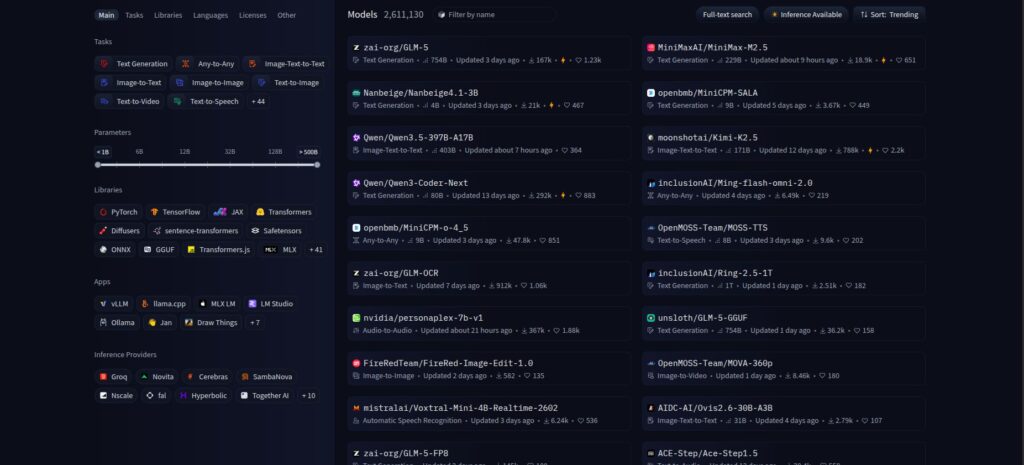
There are several types of models you can host. These include large language models for text generation, embedding models for search, image generation models, speech recognition systems, and multimodal AI. Popular open source options in 2026 include LLaMA based variants, Mistral derivatives, and other optimized transformer architectures.
It is important to understand that self hosting ai models does not automatically mean better performance. Results depend on hardware capacity, optimization, and proper configuration. However, when done correctly, the benefits are substantial.
Hardware and Infrastructure Requirements for Self Hosting AI Models
The first technical decision in self hosting ai models is infrastructure. You need to determine whether you will run the model on a local machine, on premises servers, or in a private cloud environment such as a dedicated instance in AWS, Azure, or Google Cloud.
For small to medium language models, a modern GPU with at least 16 to 24 GB of VRAM is typically sufficient. Larger models may require multiple GPUs or high memory configurations. In 2026, consumer grade GPUs are more capable, but enterprise workloads often rely on data center cards for reliability and scaling.
CPU, RAM, and storage also matter. Even if inference runs on GPU, you need enough system memory to load model weights and handle concurrent requests. NVMe SSD storage improves loading times and reduces latency, especially when restarting services.
Additionally, consider networking and uptime requirements. If your application serves customers, you must ensure redundancy, load balancing, and monitoring. Self hosting ai models for production is not only about running code. It is about building a stable system.
Step by Step Setup Process for Self Hosting AI Models
Once infrastructure is ready, the next stage is installation and configuration. The process for self hosting ai models generally follows a clear sequence of steps.
Step 1: Choose the right model. Evaluate model size, license, and performance benchmarks. If you need high quality text generation, select a well tested large language model that fits your hardware constraints.
Step 2: Install the runtime framework. Popular options include optimized inference engines and container based deployments. Tools such as Docker simplify dependency management and allow consistent environments across development and production.
Step 3: Download and load model weights. Store them in a secure directory with appropriate access controls. Validate checksums to ensure file integrity before loading into memory.
Step 4: Expose an API endpoint. Most teams wrap the model in a REST or gRPC API so applications can interact with it. This mirrors the experience of cloud providers while keeping processing internal.
Step 5: Test and benchmark. Measure latency, throughput, and memory usage. Simulate real workloads to confirm that your self hosted AI environment can handle expected demand.
Following these steps reduces errors and ensures your deployment is stable before going live.
Security, Privacy, and Compliance Considerations
One of the biggest motivations for self hosting ai models is data privacy. However, simply hosting locally does not guarantee security. You must implement strong safeguards at every layer of your system.
Start with network security. Restrict access to model servers through firewalls, VPNs, and zero trust principles. Avoid exposing inference endpoints directly to the public internet unless absolutely necessary.
Next, enforce authentication and authorization. Use API keys, OAuth, or internal identity systems to control who can query the model. Log requests and responses where appropriate, but ensure logs do not store sensitive raw data without encryption.
Encryption is essential both at rest and in transit. Store model weights and application data on encrypted disks. Use HTTPS or TLS for all communications between services.
Compliance also requires documentation. Maintain clear policies on data retention and usage. When self hosting ai models in regulated industries, conduct periodic audits and vulnerability assessments to identify risks early.
Scaling, Optimization, and Cost Management
After initial deployment, the focus shifts to performance and cost efficiency. Self hosting ai models can reduce recurring API fees, but infrastructure expenses must be managed carefully.
Model optimization techniques play a crucial role. Quantization reduces memory usage by representing weights with lower precision. Pruning removes unnecessary parameters, while distillation creates smaller models trained from larger ones. These techniques improve speed and reduce hardware requirements.
Horizontal scaling is another strategy. Instead of running a single large instance, deploy multiple smaller instances behind a load balancer. This increases reliability and allows you to handle traffic spikes more effectively.
Monitoring tools should track GPU utilization, memory consumption, and request latency. Set alerts for unusual patterns. Over time, usage data helps you right size your infrastructure and avoid over provisioning.
Finally, compare total cost of ownership. Include hardware depreciation, electricity, cooling, and maintenance. For many organizations with steady workloads, self hosting ai models becomes more economical after several months compared to high volume API usage.
Conclusion
Self hosting ai models empowers organizations to control data, customize performance, and manage long term costs. By selecting appropriate hardware, following a structured setup process, and prioritizing security and optimization, you can build a robust AI system tailored to your needs.
If you are ready to reduce dependency on external providers and unlock greater flexibility, start planning your self hosted AI deployment today. With careful implementation, self hosting ai models can become a strategic advantage for your business in 2026 and beyond.